When Mac OS X Emacs Displays Unicode Symbols Too Wide
Was I going crazy, or was Emacs displaying certain text too wide?
Symptoms
Most the problems I observed was when using emacs ansi-term, but they can happen anywhere the Emacs Mac OS X application is displaying Unicode characters.
Oddly wide dashes (em dashes is the publishing terminology).
[caption id="attachment_2886" align="alignnone" width="91"]
Lines wrapping, output Unexpectedly Wrapping Beyond the Bottom of the Emacs Windows, and Black Boxes
[caption id="attachment_2888" align="alignnone" width="599"]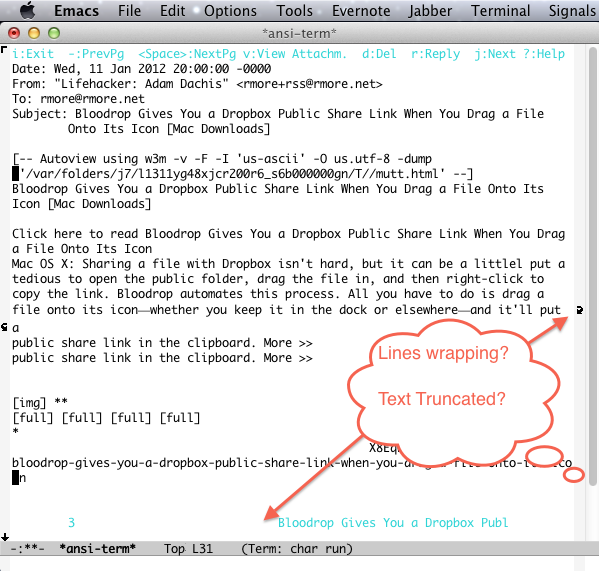
Root Cause
It took me a long time to figure out:
- That I wasn't going crazy.
- The root cause.
To make a long story short, I had stumbled across Emacs Bug 11450 – Fallback Font Used Even When Available in Primary Font which can be translated as: "fancy characters don't display correctly using the Mac OS X Emacs application."
Solution
The solution boils down to adding this snippet to your emacs init file (aka .emacs file):
(when (eq window-system 'ns) (set-default-font "Monaco") (set-fontset-font "fontset-default" 'symbol "Monaco")))
Note: You may want to choose a different default font other than Monaco.